
How it works
For each exercise the application leads you through four steps. It always shows the current step and the next action.
-
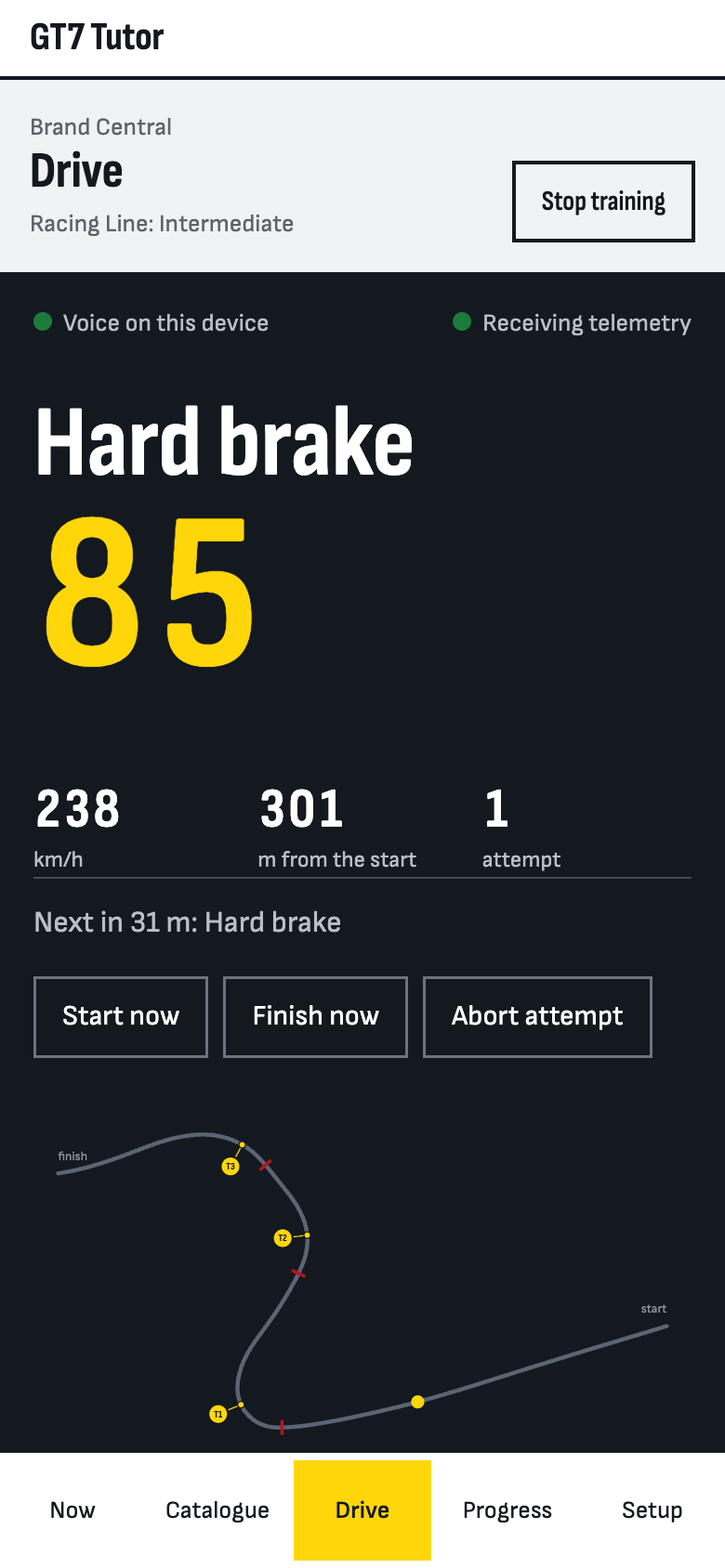
1Record the reference
Open the exercise in the game and record its demonstration three times. The demonstration is the same on every run, but the menus before and after it are not, so GT7 Tutor finds the part that repeats. That drive becomes the reference for the cues.
-
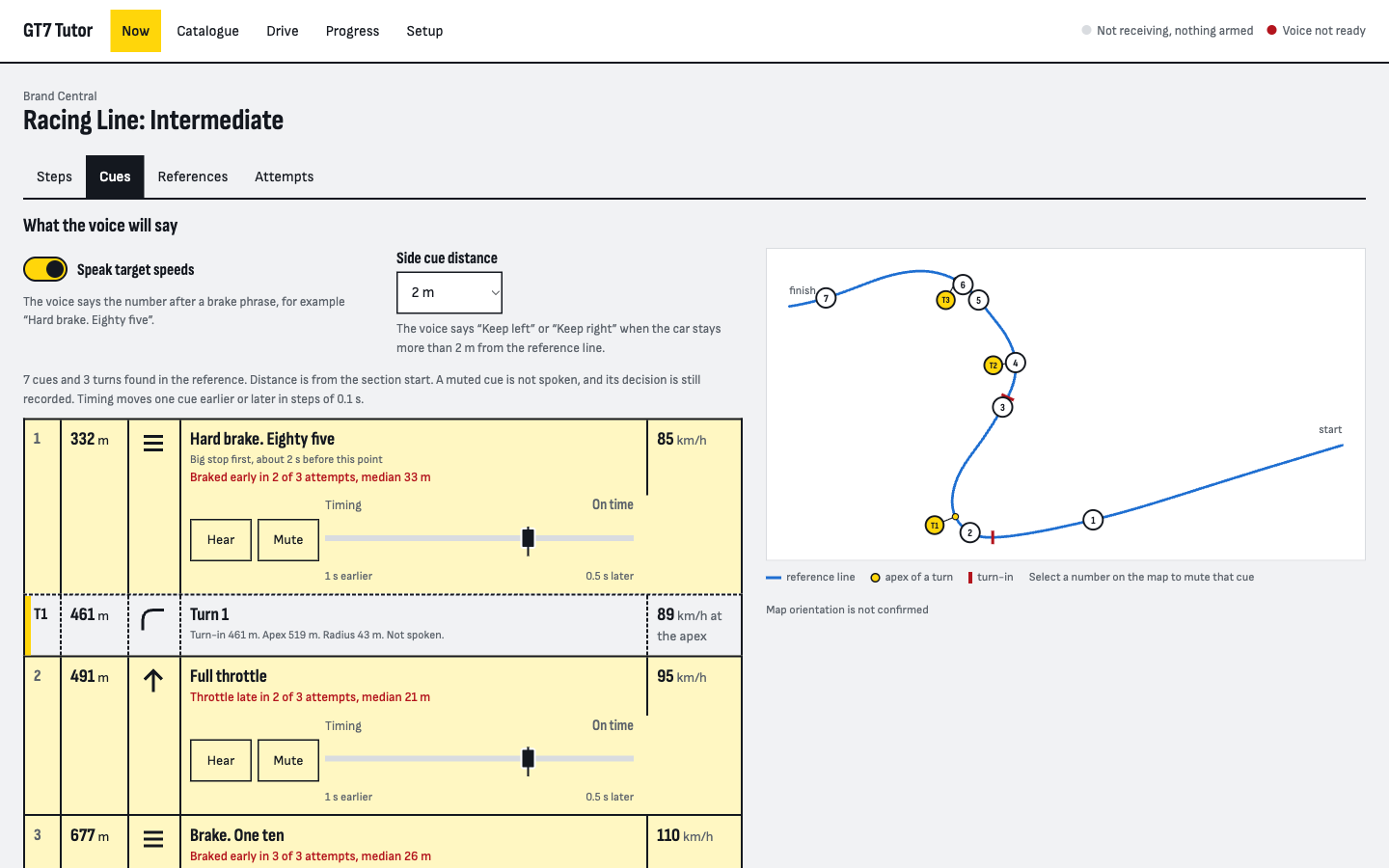
2Drive without voice
Drive two or three baseline attempts. GT7 Tutor detects the start and the finish, measures the time from the telemetry and lists the differences from the reference. These attempts show your pace before the voice helps.
-
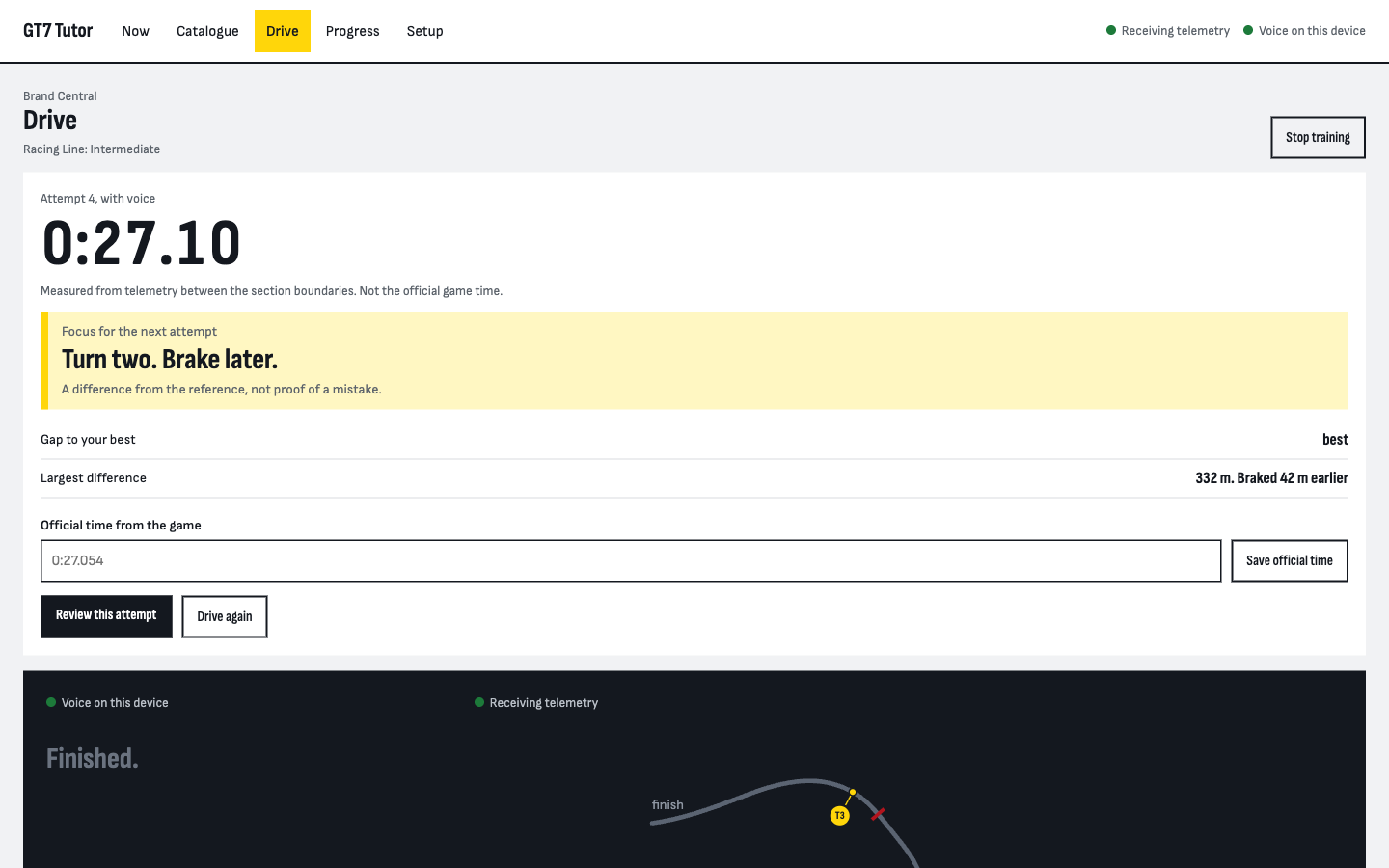
3Drive with voice
Arm a guided attempt and drive. The voice names the action: “Hard brake. Eighty-five”, “Full throttle”, “Keep left” or “Keep right” when you leave the line, or “Tighter” when you run wide before an apex. The first word starts about half a second before the point, plus the measured delay of your device. After the finish the voice says one focus for the next attempt, such as “Turn one. Brake later.”
-
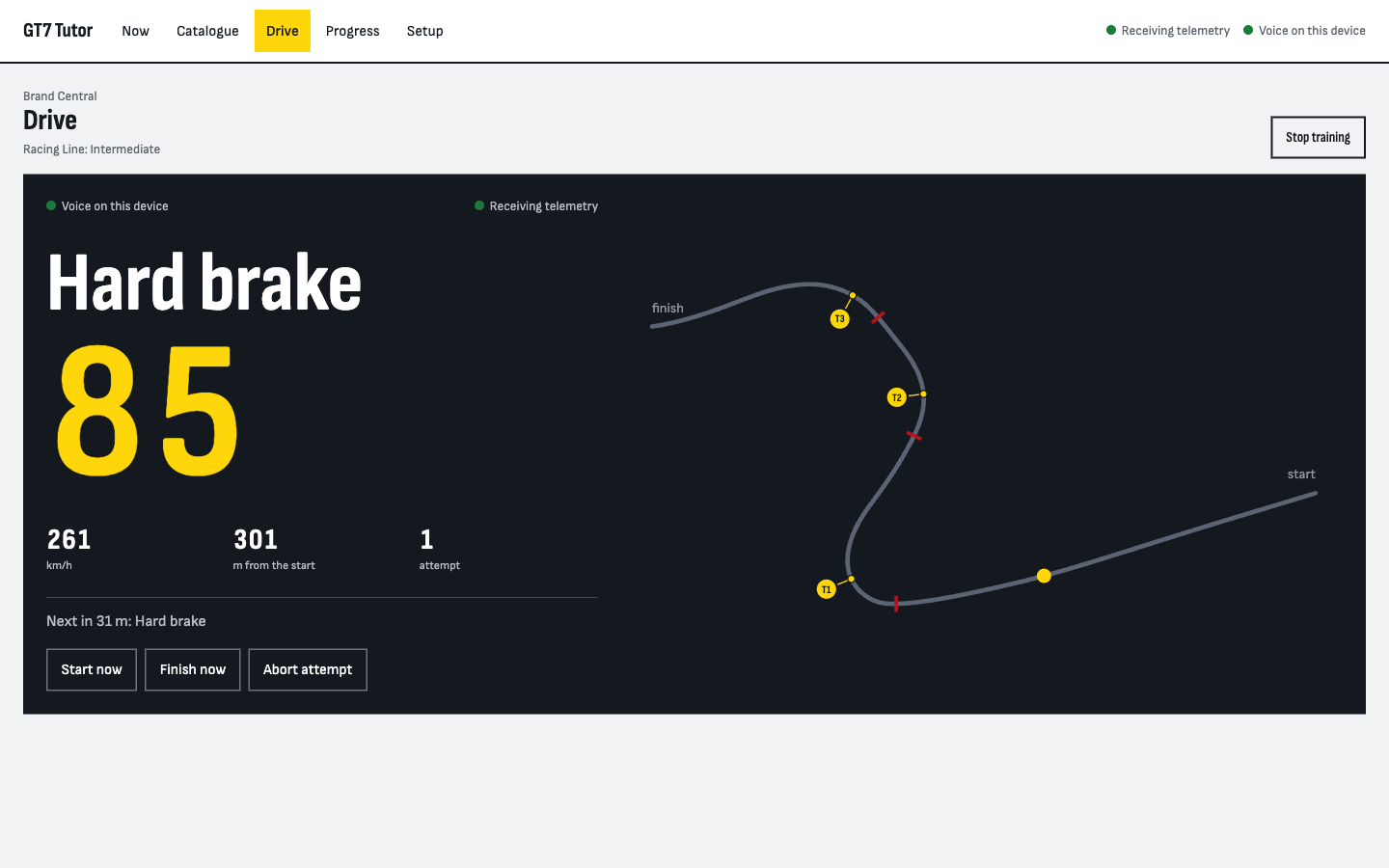
4Review
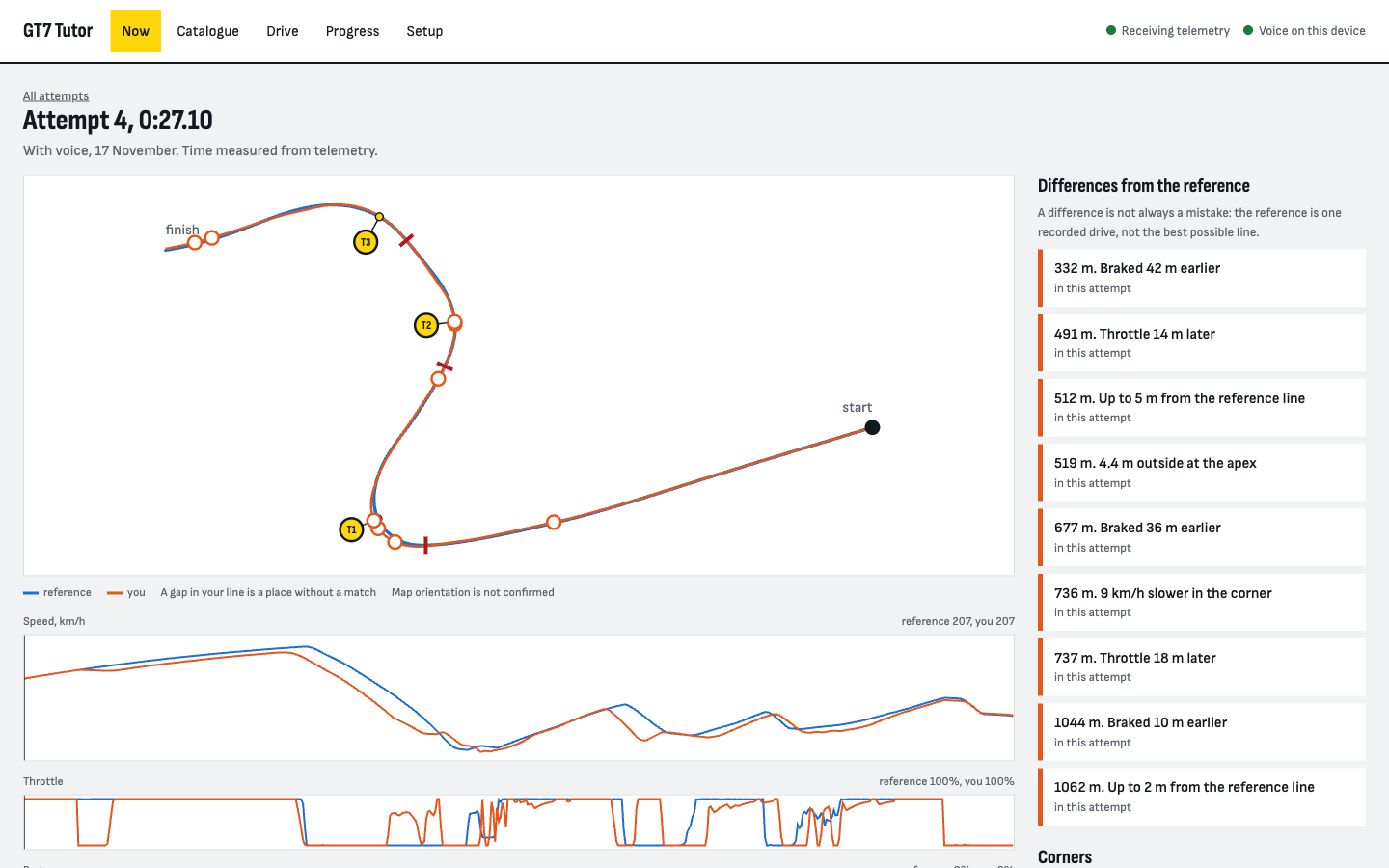
Compare each attempt with the reference on a map and in linked speed and pedal charts. Differences that repeat across attempts show as counts, for example “Braked early at 332 m in 4 of 6 attempts”. A difference is not always a mistake: the reference is one recorded drive.
What you need
- A PS5 with Gran Turismo 7.
- A computer with macOS, Windows or Linux on the same home network as the console.
- Docker for the database, and Node.js 26 or later with pnpm. On macOS and Linux, a setup script checks these and prepares the rest. On Windows, the command
pnpm setup:localprepares the rest. - A current browser on that computer or on a phone. On a phone, turn off auto-lock during a session.
Exercises
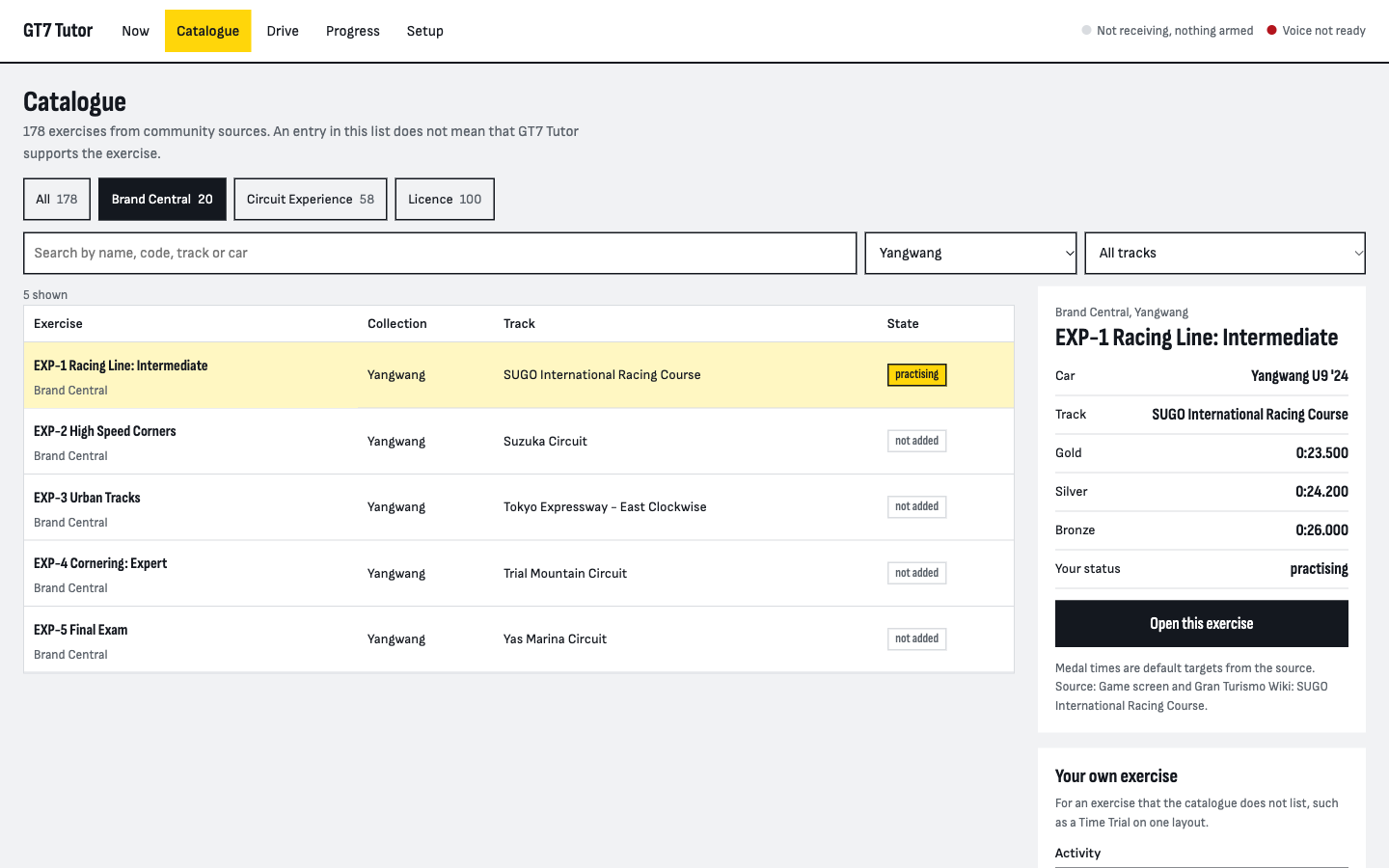
Select an exercise in the catalogue, or create your own. You record a reference from a demonstration of the game, and GT7 Tutor then guides you through that exercise.
The catalogue lists 100 licence tests, 58 Circuit Experience sections and 20 Brand Central exercises, taken from public sources. Guided attempts are checked on a PS5 for one exercise so far: Yangwang EXP-1 Racing Line: Intermediate.
Support the project
GT7 Tutor is free and stays free. If it helps you, you can buy the author a coffee. Donations unlock nothing: every feature is in the free code.
Buy me a coffee